![TermSheet Logo-1.png]](https://help.termsheet.com/hs-fs/hubfs/TermSheet%20Logo-1.png?height=40&name=TermSheet%20Logo-1.png)
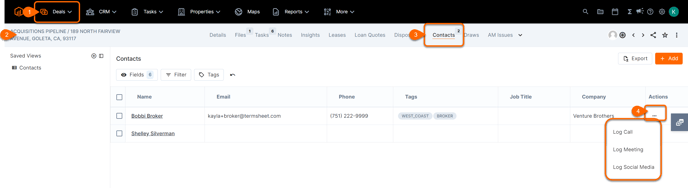
Use the "Actions" menu to Log an Engagement to a Contact from within a Deal. Access the deal, then navigate to the contacts tab.
💡Things to Consider
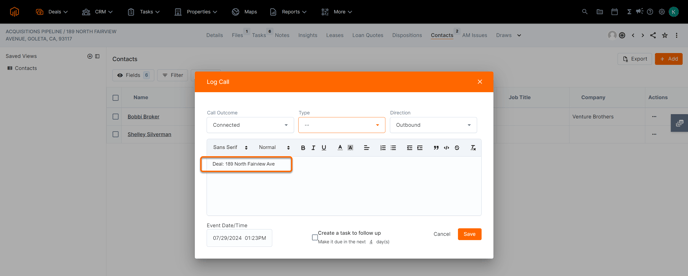
When you log the engagement, be sure to note the deal name as there is not currently a way to associate the Engagement with the deal (only the contact).
⚙️Steps
- Select a deal.
- Navigate to the Contacts Tab
- Select the Actions menu
- Select a type of Engagement
- Fill in the dropdowns
- Add the Deal Name to the body of the engagement to track what deal this Engagement is tied to (optional)