![TermSheet Logo-1.png]](https://help.termsheet.com/hs-fs/hubfs/TermSheet%20Logo-1.png?height=40&name=TermSheet%20Logo-1.png)
📑Learn to:
🔒Permissions
Any role who has access to the Deal Insights tab will have access to edit or add values via the Deal Analytics.

💡Things to Consider
Changes made to Time Series charts manually from within TermSheet will not sync back to Excel models.
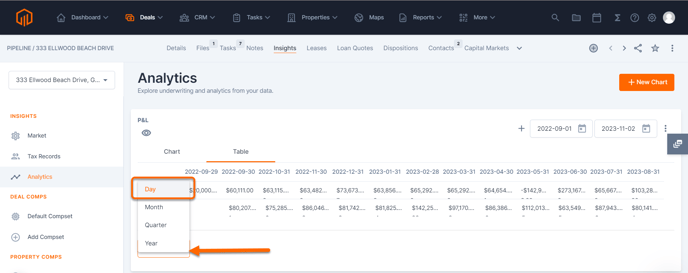
When adding/editing the Time Series values from TermSheet, the table should be grouped to view "Day". 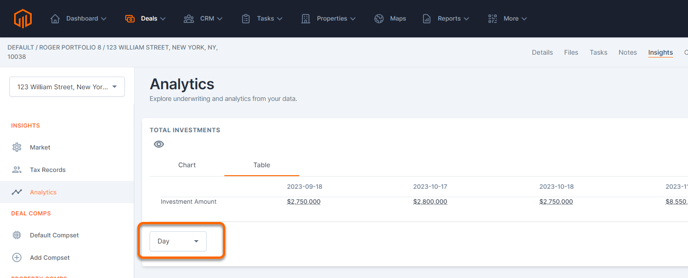
⚙️Steps
First, a time series model must be linked to a deal in TermSheet.
Add Time Series Values to TermSheet
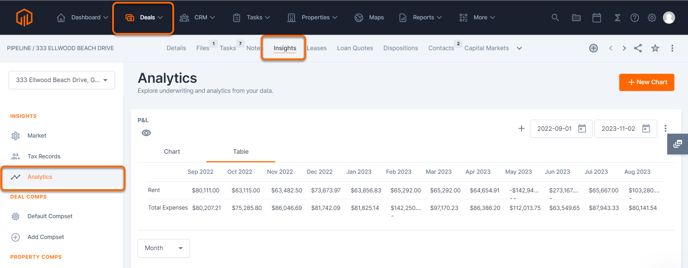
- Navigate to the Time Series charts by selecting Analytics in the Deal Insights tab of the deal.
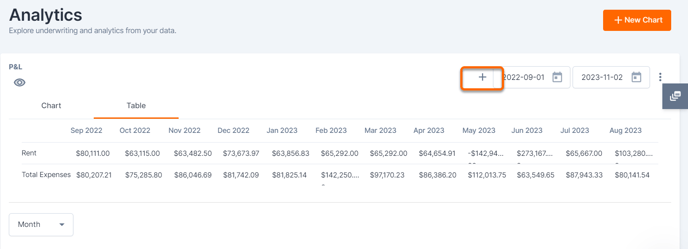
- Select the + icon by the date range.
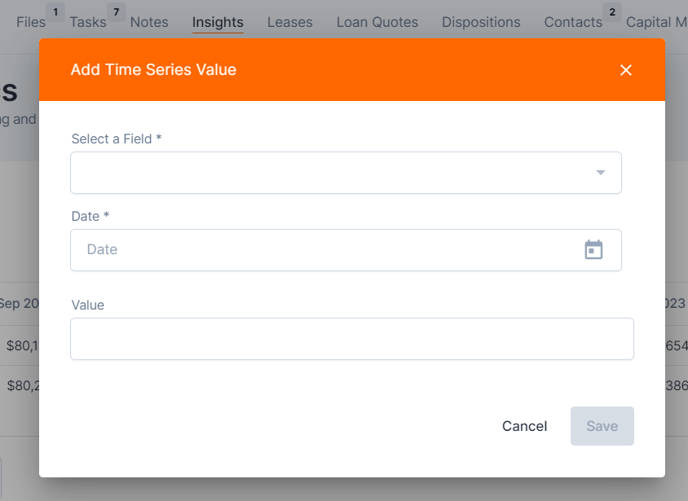
- Select a Time Series field from the dropdown.
- Select a Date, currently only individual days are supported.
- Enter a value for the field.
- To view entries made manually, change the Time Series Table to show by "Day".
Edit Time Series Values in TermSheet
- Navigate to the Time Series charts by selecting Analytics in the Deal Insights tab of the deal.
- Change the Time Series Table to show by "Day".
- Select any cell and start typing to edit, then select off the cell to save.