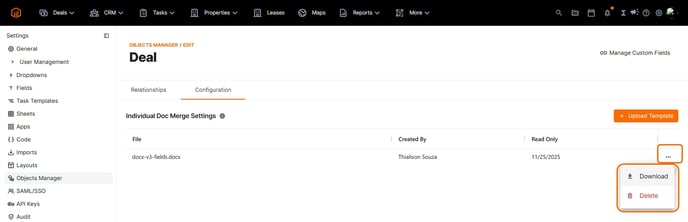
Templates must now be uploaded directly within the Objects Manager instead of the global files. This enhancement ensures that, during document generation, only templates associated with the selected object are available for use.
💡Things to Consider
Starting 12/06/2025 workspaces that have DocMerge templates loaded into the workspace (global) files will need to re-upload templates to the Object Manager to maintain accessibility.

⚙️Steps
- Select the settings gear icon, then select Object Manager. Select the object where users will generate the merged document.

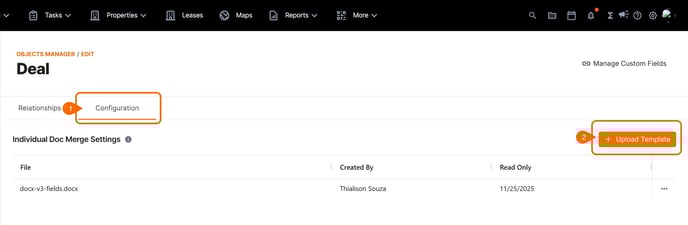
- Select the Configuration Tab, then select Upload Template.
- Select the file from your device file explorer and select open.
- To remove files from the list of available templates, select the three dot menu to the right of the template file.