
💡Things to Consider
Downloads will remain in the exports manager for 30 days.
Non Admin users will only see exports that they have initiated. Admin users will see all exports initiated by any user.
Each export row shows file size, the scheduled name when triggered by a scheduled job, and a link to the source of the export.
⚙️Steps
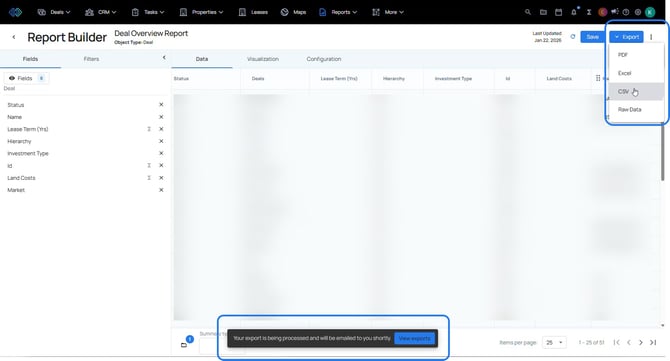
- Initiate an export from anywhere within the workspace.
- A message will appear at the bottom of the screen to say the download has started.
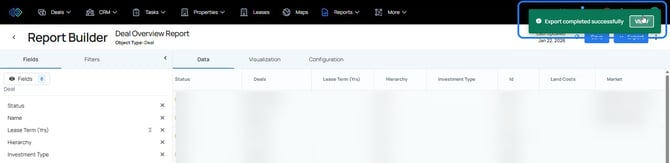
- When the export is ready, a success message will appear in the upper right corner of the workspace. Select "View on the success message or
- Navigate to Settings > Imports/Exports
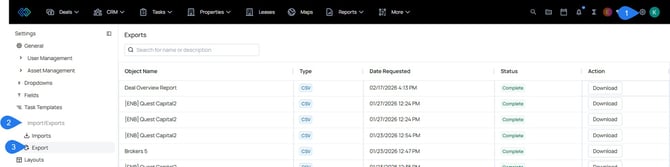
- Select "Download". The file will download to the device.
