💡Things to Consider
Fields must be archived and relationships must be deleted from a custom object before deleting it.
⚙️Steps
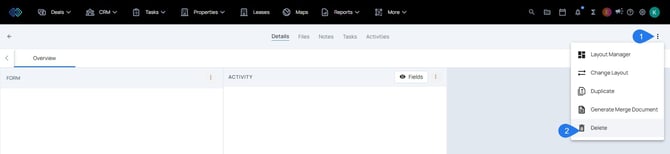
- Delete the any records that have been added to the custom object by opening the record, selecting the three dot icon, then select Delete.
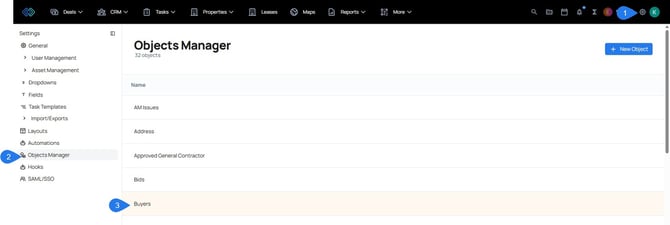
- Once all records have been deleted, navigate to Settings > Object Manager
- Select a Custom Object from the list.
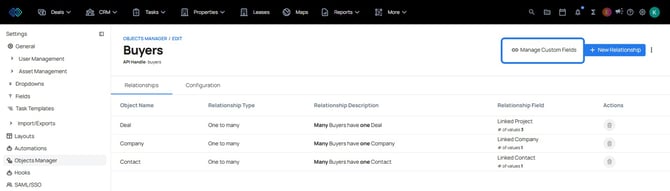
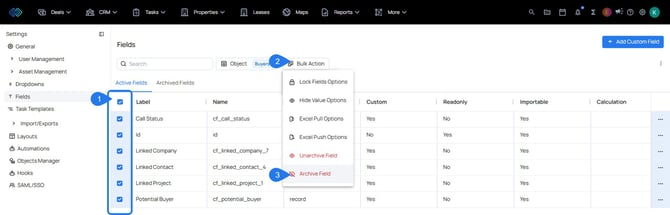
- Select Manage Custom Fields
- Select all custom fields using the top checkbox to select all.
- Select Bulk Actions
- Select Archive Fields
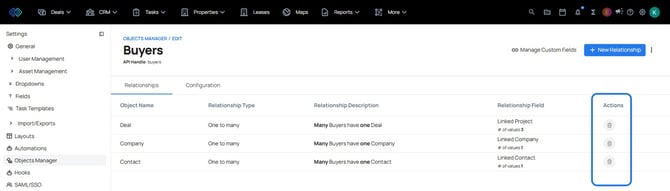
- Navigate back to the Object Manager
- Delete the relationships associations by selecting the trash icon.
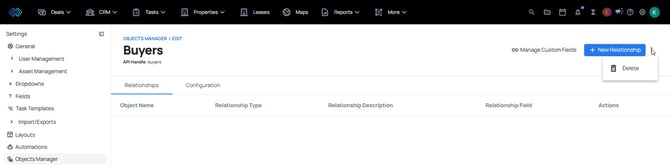
- Once everything associated to the custom object has been deleted, it is time to delete the custom object itself. Select the three dot icon on the custom object, then select Delete.