📑Learn To:
💡Things to Consider:
Versions respects each user's existing Deal permissions. (e.g. if a user can delete a deal, they can delete a version)
Contact your Customer Success representative to enable Versions in your workspace
⚙️Steps
Creating Versions
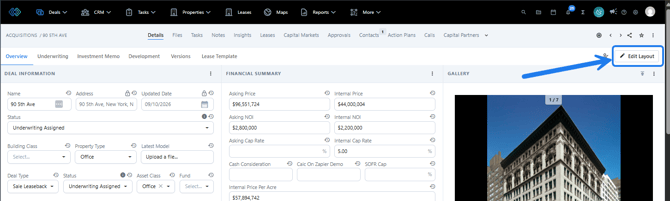
- In any Deal, click on the Edit Layout button
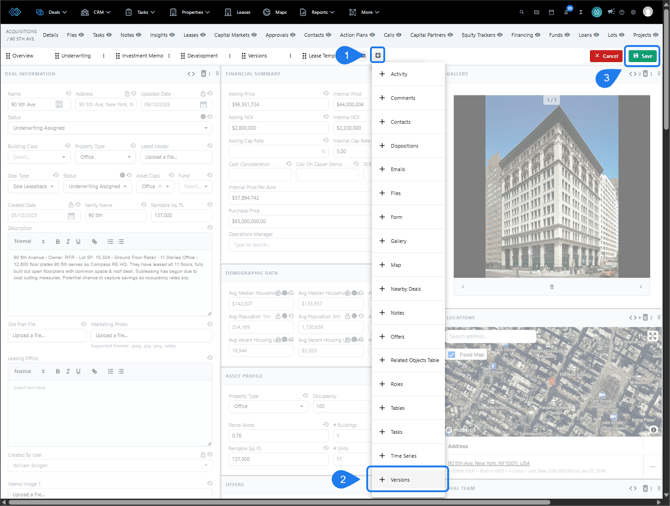
- Click the plus (+) icon and select Add Panel
- Select Versions from the dropdown list and click Save once the panel is in the desired position
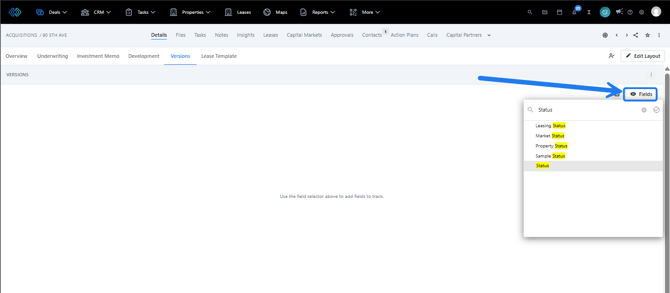
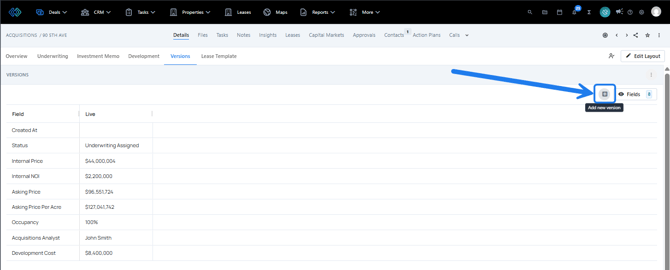
- In the Versions panel, click Fields to begin adding the desired fields to the Version table. The Live column shows the data currently present in the Deal for each field.
- To create a new version, click the plus (+) icon next to fields and enter a name for the version, then Save
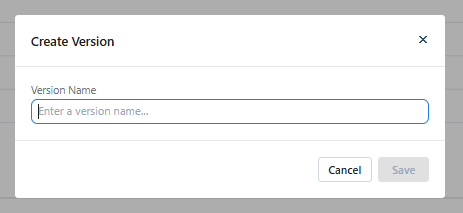
- A new version will be created and a timestamp is logged in the Created At row. The values in this column are a snapshot of the data at the point that the version was created and cannot be edited. The live column will continue to show the data currently present in the deal as it changes.
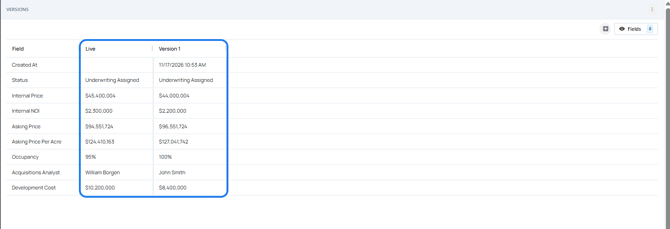
Each additional version added will create a new column containing a timestamp and snapshot of the data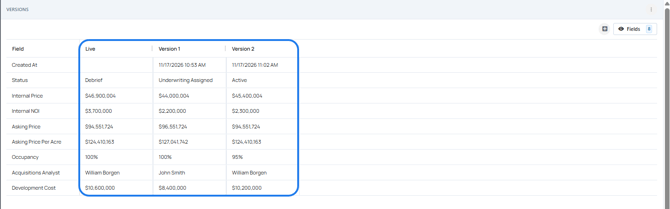
Each version captures all fields across the Deal, not just the fields that are selected to display. Adding new fields to the Versions table will display that field's data at the time each version was created.
Delete Versions
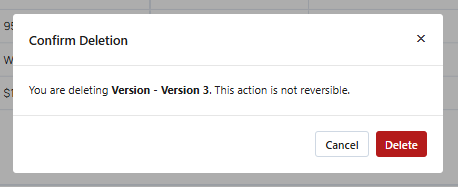
Deleting versions is permanent and they cannot be restored once deleted
- Click on the three vertical dots at the top-right of the Versions panel and select Edit Layout
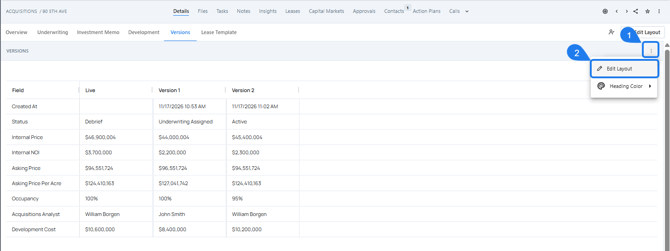
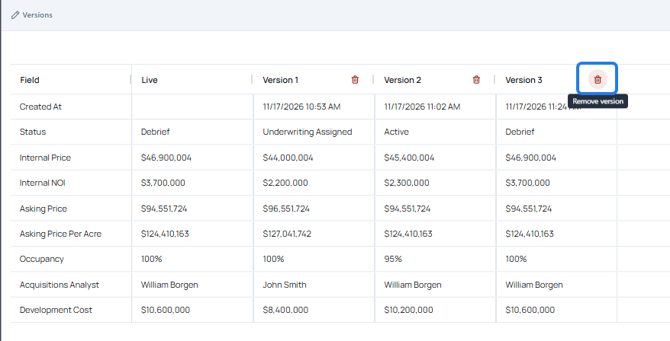
- Click on the trash can icon at the top of any version column to delete, then confirm the deletion in the pop-up window.
Creating Versions from Excel
- In your Excel model's mapping tab, create a new row below the TS_DEAL_ID row
- Use the following mapping structure for this new row:
- In Column A, enter Version Name
- In Column B enter version
- In Column C enter the name for the version you are creating (e.g. Version 1)
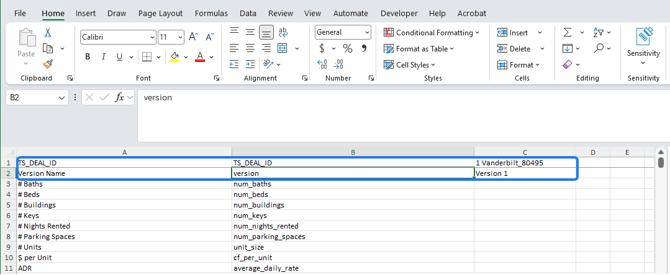
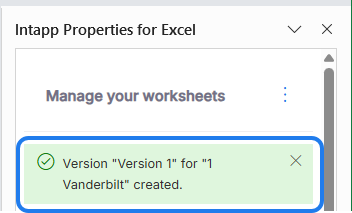
- When the model is published, a version will be created with the name specified. A success message will be displayed at the top of the add-in confirming that the version was created successfully.