💡Things to Consider
To enable contact your client success manager or reach out to support@termsheet.com
Tasks, Maps, Reports are not currently supported
The Integration is a one way integration. Data moves from Intapp Properties --> DealCloud. DealCloud data cannot be synced back to Intapp Properties.
Updates are synced immediately when any update is made to a record.
Confirm that both Intapp Properties and Deal Cloud have the same objects and compatible field types(text fields map to text fields, number fields map to number fields)
| Intapp Properties Field Types | DealCloud Field Types |
| Text | Text |
| Text Area | Multi-Line |
| Related To | Reference |
| Select | Choice |
| Date | Date and Time |
System defaults like Created By User, Created Date, Updated Date do not need to be mapped.
⚙️Steps
-
Navigate to Settings > Apps
-
Select DealCloud Integration, a setup wizard will appear.
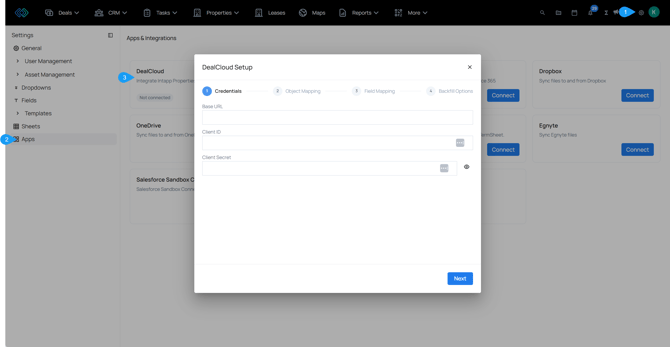
- Step 1: Enter Credentials -
Base URL: Enter the DealCloud URL for the target environment.
ex: https://domain.dealcloud.com/
Client ID: Enter the User ID from the DealCloud profile page
Client Secret: Enter the DealCloud API Key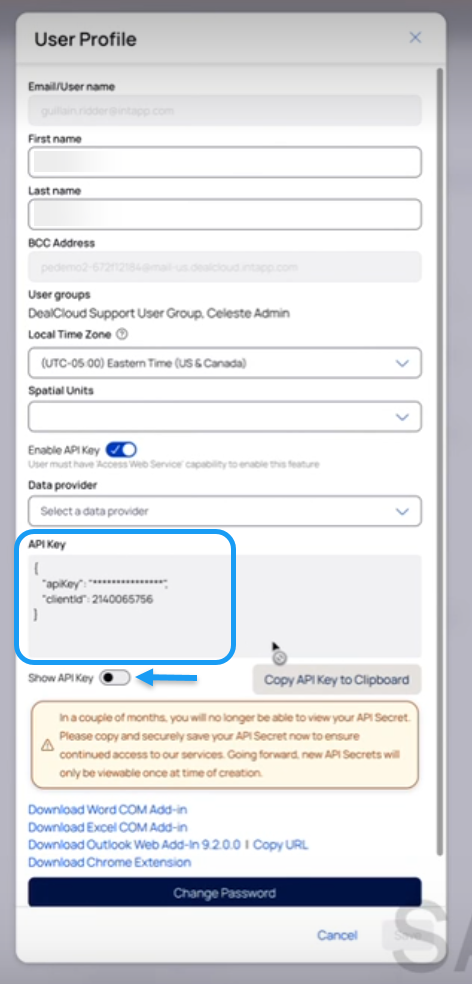
- Select Next.
- Step 2: Object Mapping - Use the dropdowns to select the Intapp Properties objects that will map to the DealCloud Objects.
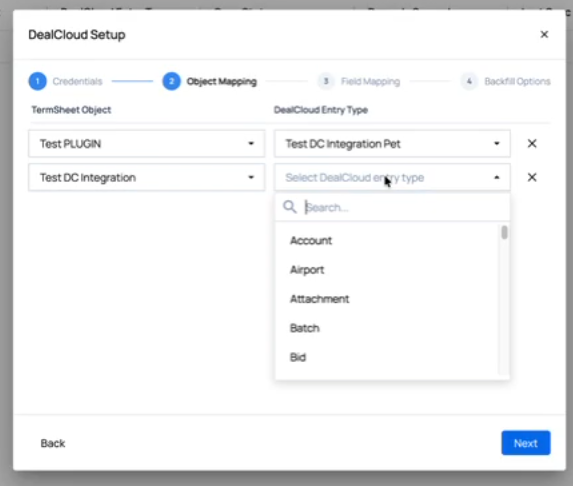
- Select next
- Step 3: Field Mapping - Using a list of DealCloud fields from the selected objects in step 2, map the appropriate TermSheet fields to the DealCloud fields. Required DealCloud fields will display a red asterisk. These are required for mapping to move the setup wizard forward.
Intapp Properties does not require fields. If DealCloud required fields are left blank, records will not sync to DealCloud.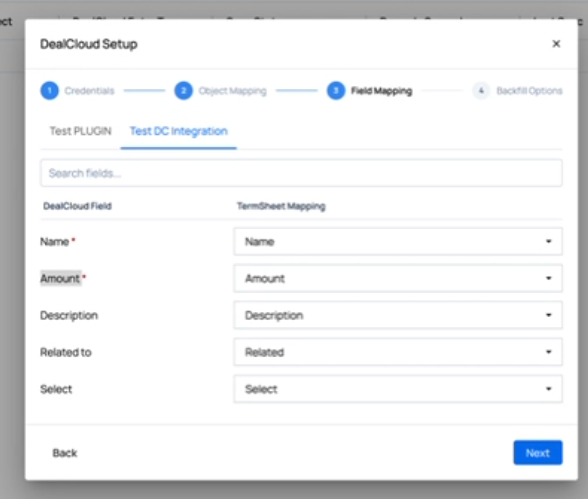
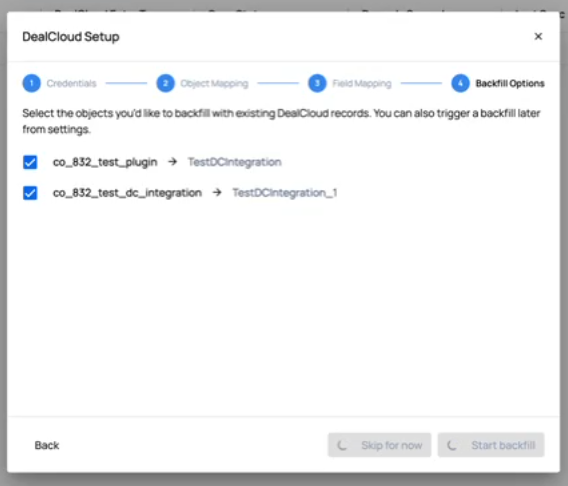
- Step 4: Backfill Options- Select Skip for Now - Backfill is currently unsupported but under development. Backfill will allow for existing data to be synced to DealCloud retroactively to ensure the two platforms contain matching records.