Static and Dynamic Views organize individual deals into lists. These Static and Dynamic Views can then be added to Groups to categorize and organize the sidebar of the Deals Tab and manage like-views together.
📑 Learn To:
💡 Things to Consider
Groups can hold only static views, only dynamic views, or a combination of the two.
Groups cannot be created within other Groups.
⚙️ Steps
Add a View Group
Rename a View Group
-
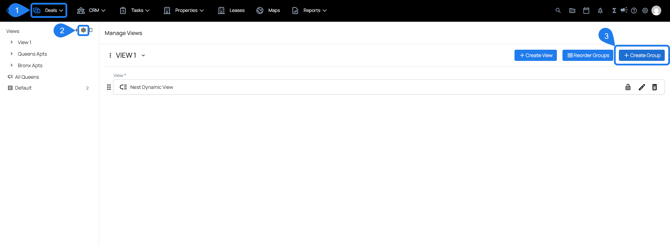
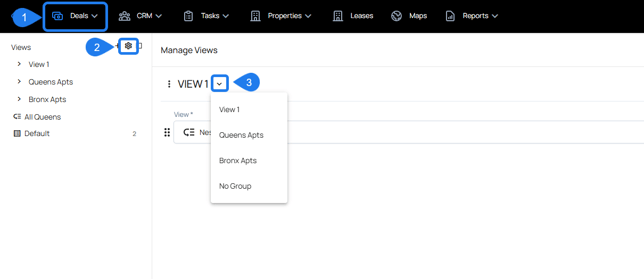
Select the Deals module at the top of the screen, then select Settings.
-
Navigate to the View Group using the carat next to the Group name to access the dropdown list.
-
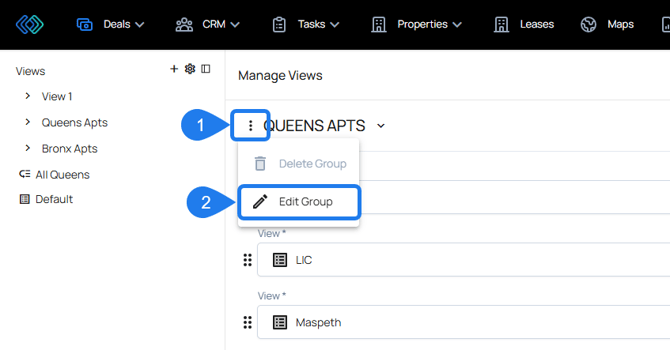
Select the ⁝ icon from the left of the Group name, then select Edit Group.
-
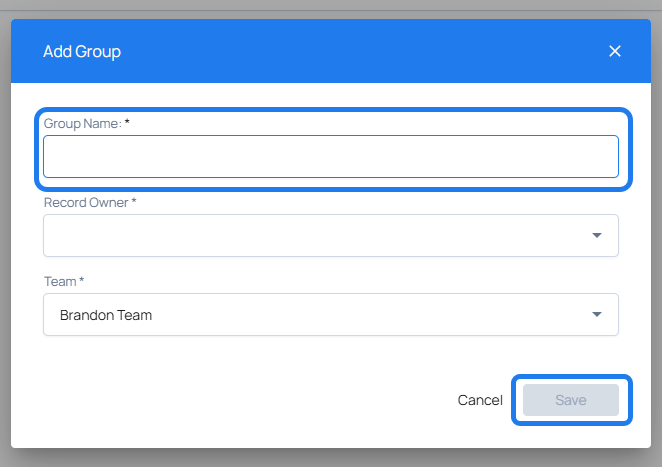
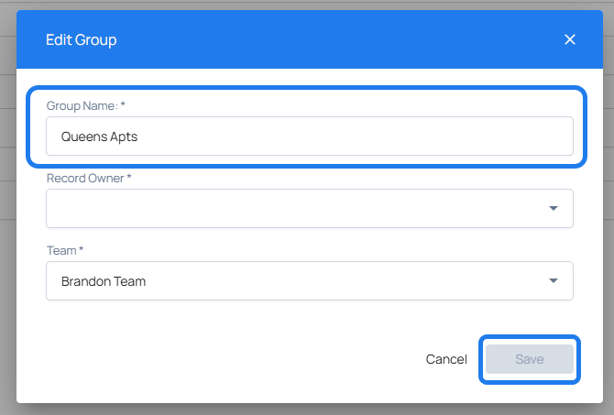
Rename the Group, then select save to apply the changes.


Reorder View Groups
-
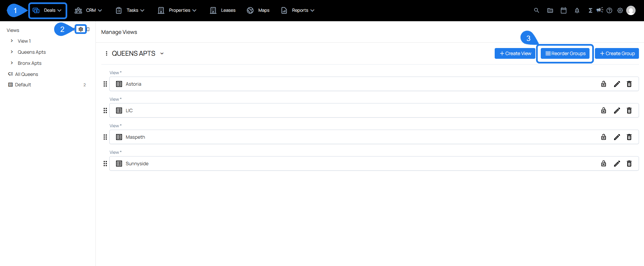
Select the Deals module at the top of the screen, then select Settings.
-
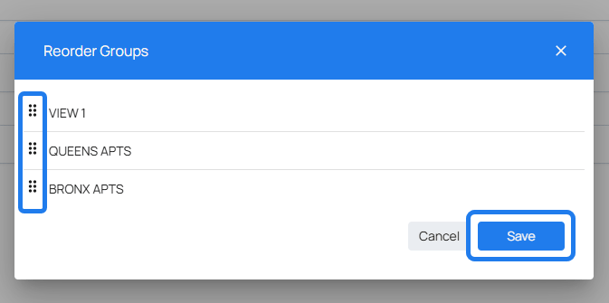
Select "Reorder Groups"
-
Click and hold on the ⠿ symbol to drag and drop the Group names into your desired order.
-
Select save to apply the changes


Delete a View Group
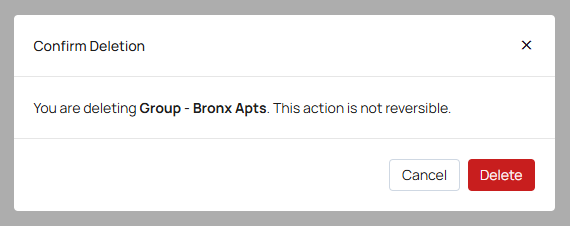
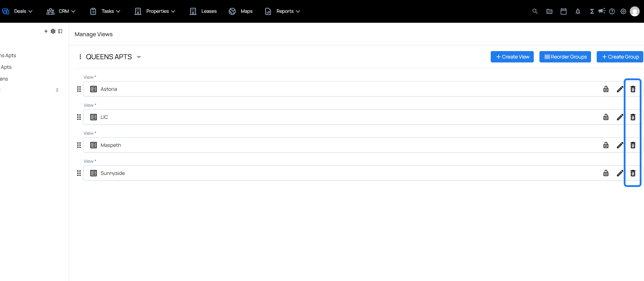
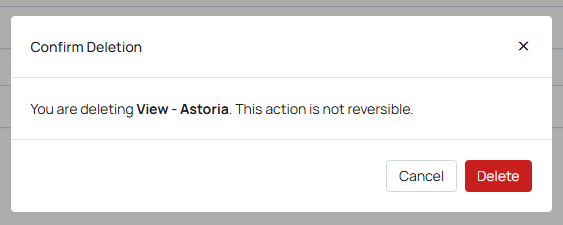
All Views within a Group must be deleted prior to deleting the Group, and all Deals within a view must be deleted or moved to a new static View. Deleting Groups and Views is permanent and not reversible.
-
Select the Deals module at the top of the screen, then select Settings.
-
Navigate to the View Group using the carat next to the Group name to access the dropdown list, then select the Group you'd like to delete.
-
Delete any Views within the Group
-
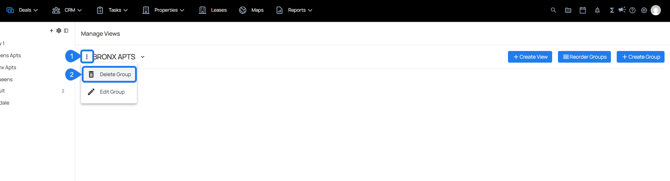
Click the ⠇icon next to the Group name and select Delete, then confirm