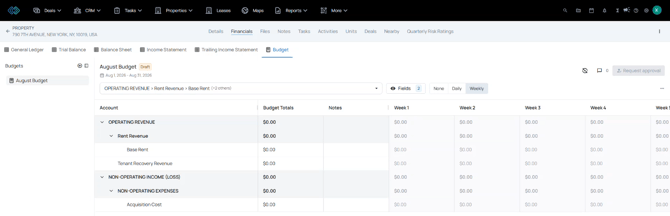
When creating a new budget, users can choose to start from a template instead of building from scratch. Budgets created from a template are independent copies.
Things to Consider
Requires Asset Management and Budget Builder features enabled.
A template only captures the framework of the budget:
- The categories (the line items / structure)
- Which columns (fields) show up and in what order
It does not capture actual dollar amounts, approval status, or comments. Those only belong to budgets applied to properties.
A budget created from a template is a copy. After creation, it’s an independent budget — changing the template later does not retroactively change budgets that were already created from it.
Steps
- Navigate to Settings > Templates > Budget.
Select "+ Create Template"
- Enter a Name for the Budget Template. Select if Accounts should come from the Balance Sheet or the Income Statement. Select a date range or select a dynamic range "Next Year", "Next Semester","Next Quarter". Date ranges can be edited once the template is added to a property.
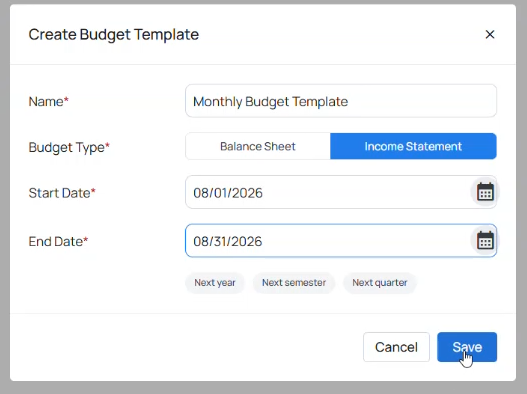
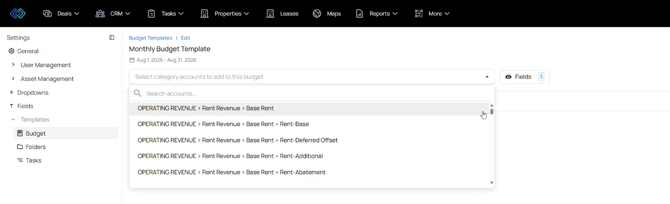
- Use the dropdown to select accounts to add to the budget template.
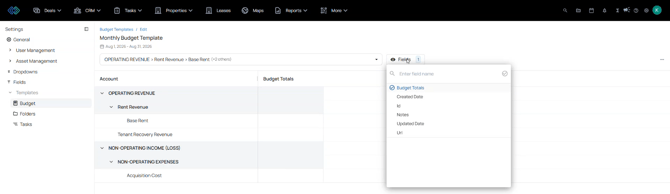
- Select the fields button to add any additional columns to the budget template.
- Use the three dot menu to edit, duplicate, or delete this budget template.

- Navigate to an existing Property. Select the Financials tab, then select the "Budget" financial tab.
Select Create New Budget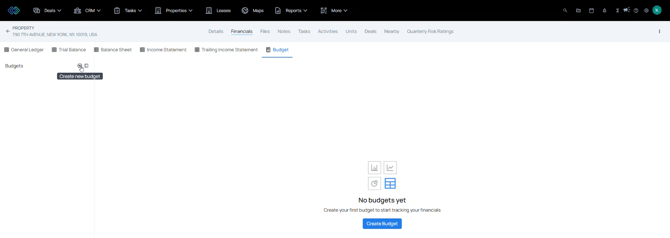
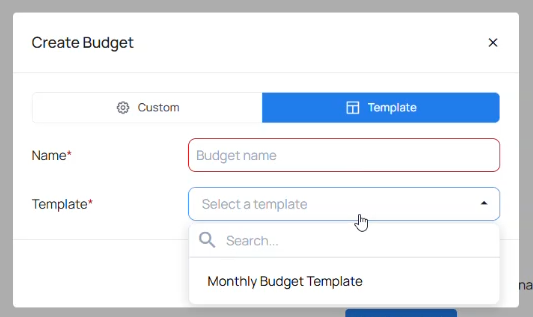
- Use the dropdown to select an existing template. Rename the template if needed.
- A budget created from a template is a copy. After creation, it’s an independent budget — changing the template later does not retroactively change budgets that were already created from it.